


Individual Registration
Before You Register Individually
If your school is already participating in YuvaRise Rang Bharat 2026, we encourage you to participate through your school.
If your school is not participating, you can complete your Individual Registration and participate through the Official Individual Participation Process.
How will First Level be conducted?
For Individual Participants, the First Level Competition will be conducted through an Official Live Online Session under the supervision of the YuvaRise Team.
Participants can take part from their home using a mobile phone or laptop. No travelling is required for the First Level Competition.
How will First Level be conducted?
For Individual Participants, the First Level Competition will be conducted through an Official Live Online Session under the supervision of the YuvaRise Team.
Participants can take part from their home using a mobile phone or laptop. No travelling is required for the First Level Competition.
After successful registration, complete participation guidelines will be shared with you.
Every registered participant will receive an Official Hard Copy of Certificate of Appreciation
Mobile Users
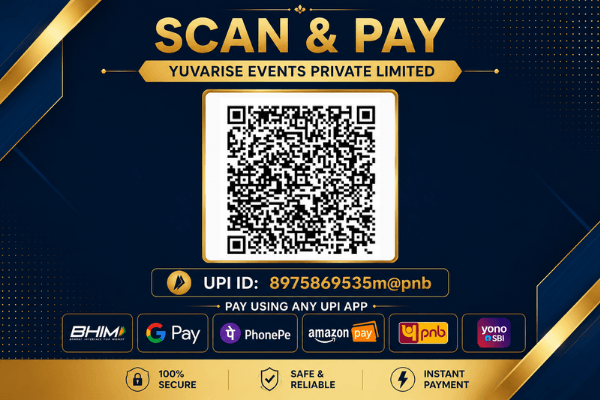
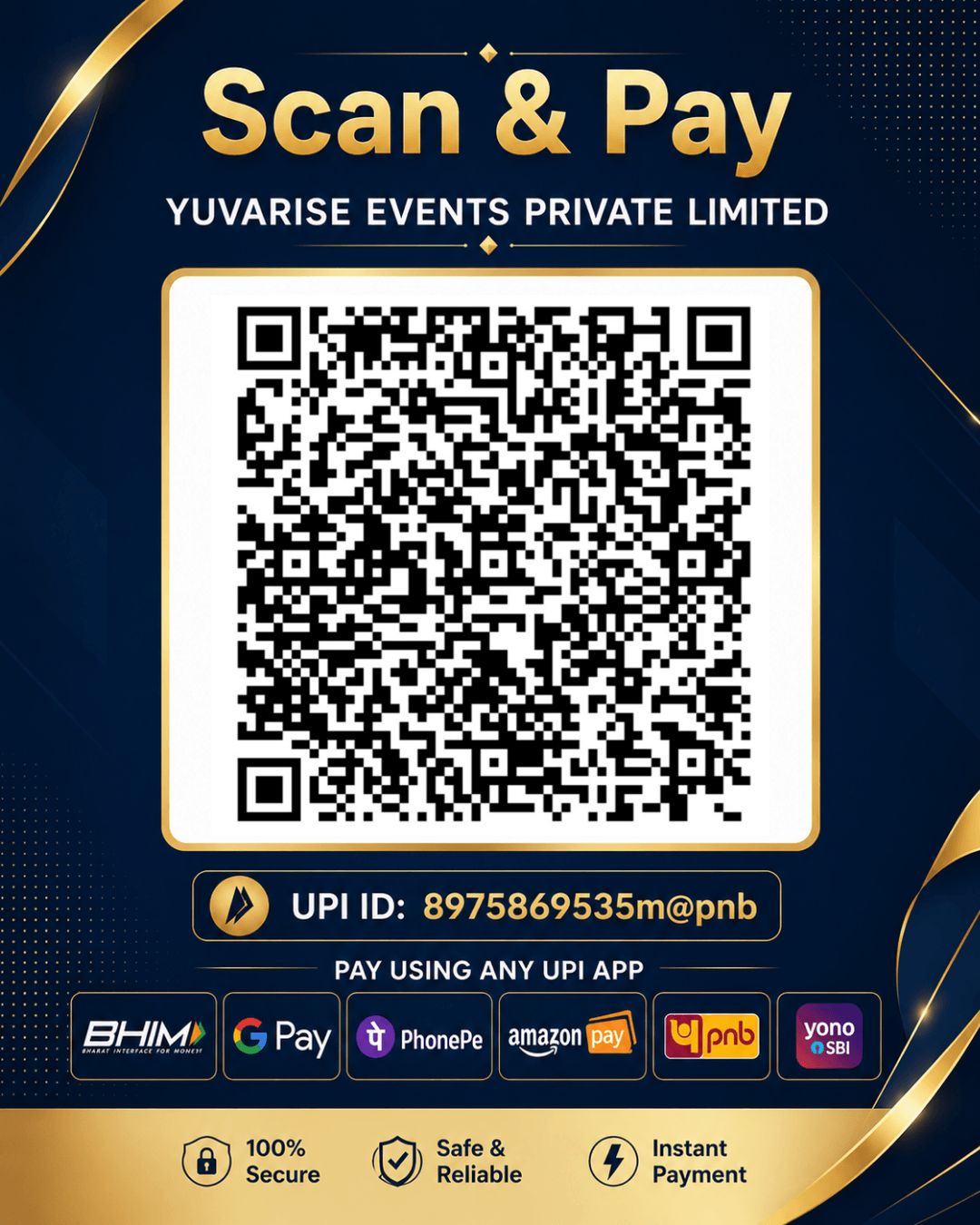
Take a screenshot of the QR code, then open any UPI app and use Scan QR → select that screenshot from Gallery to make the payment.
Laptop/ Desktop Users
Scan the QR code below using any UPI app on your mobile phone and do the payment.
If you need any help, please call us at 9209306181
📌 Note: Before proceeding, please take a screenshot of the QR Code below.
Registration process:
- Open your UPI app in mobile → click on Scan/QR → scan the given QR
- Verify the receiver’s name : YUVARISE EVENTS PRIVATE LIMITED
- Pay ₹ 100
- After successful Payment, click on View Details or Share Receipt in your UPI App.
- Copy or note down the 12 digit UTR Number.
- Fill out the Registration Form below.
- Click on Submit Registration.
Note: Copy the 12-digit UTR no. after payment. Depending on your UPI app, it may be shown as UTR No. or UPI Reference No. or UPI Transaction ID.
Registration Process:
- Open your UPI app → click on Scan/QR → choose Upload QR → select the screenshot of QR from gallery
- Verify the receiver’s name : YUVARISE EVENTS PRIVATE LIMITED
- Pay ₹ 100
- After successful Payment, click on View Details or Share Receipt in your UPI App.
- Copy or note down the 12 digit UTR Number.
- Fill out the Registration Form below.
- Click on Submit Registration.
Note: Copy the 12-digit UTR no. after payment. Depending on your UPI app, it may be shown as UTR No. or UPI Reference No. or UPI Transaction ID.
If you’re unable to register through the website, you can also complete your registration directly via WhatsApp. Our team will guide you through the process.
YuvaRise Rang Bharat Individual Registration Form